

Find verified contacts
Look up the right recipients only after the prospect list is qualified.
Contact finding looks for verified email addresses on the prospects you choose. Run it after relevance and SEO filtering so credits are used only on websites you may genuinely contact.
Find and review contacts
- 01
Approve contact lookup
Choose which qualified prospects need email addresses. The approval card shows the maximum credit use before lookup starts, and you pay only for verified addresses found.
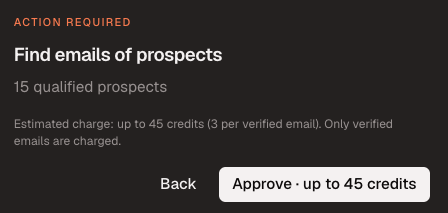
Confirm the prospect count and maximum credit use before lookup. - 02
Review the verified contacts
Check each person’s name, role, email address, and verification status. Prefer editors, writers, partnerships contacts, or another role connected to your outreach goal.

Disqualify unsuitable recipients before adding the list to a campaign. - 03
Avoid contacting a website twice
Prospect history is shared across your account. AutoBacklinks identifies websites already contacted or already used in another campaign unless you deliberately choose to include them again.

The source campaign explains why a prospect was skipped. - 04
Export or add the list to a campaign
Export the enriched list with its verified contacts, add it to a matching existing campaign, or create a new campaign from the prospecting session.