

Case Study: Link Building Outreach for a website in Education Niche

by Rachid Idali
Last Updated: June 9, 2026
I sent 187 link-building outreach emails and got 32 replies.
That is a 17.1% reply rate.
The campaign was not complicated. There was no clever copywriting trick, no massive sequence, and no huge sending volume. The result came from something most outreach campaigns skip: a prospect list that was actually relevant, backed by verified contacts and a page-specific angle.
Most people send to irrelevant sites with weak email data. Then they blame the email template when nobody replies. In reality, the email is usually not the main problem.
The secret was not better email copy. It was better prospecting.
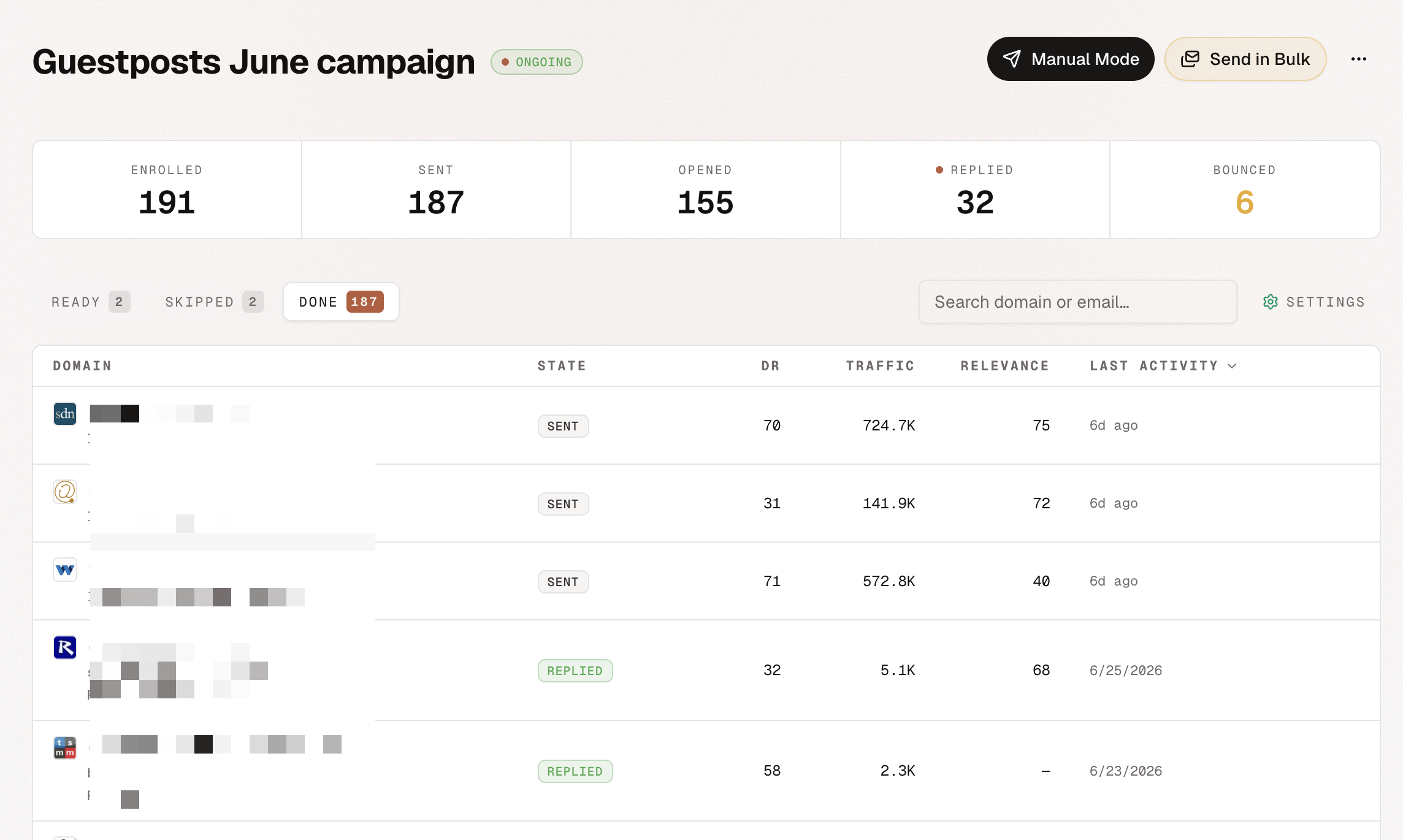
Your reply rate is a function of relevance, email quality, and timing.
Most link builders optimize only the email quality part. They buy a generic list, scrape a bunch of contacts, paste the same pitch into every inbox, and hope the subject line saves them.
That is backwards. If the prospect is wrong, the best email in the world still feels irrelevant.
Five link building outreach lessons from this campaign
The campaign worked because every step before sending was designed to remove weak prospects.
Score each website to make sure it is relevant to your site
Relevance was the first filter.
I did not want a generic list of sites that publish content. I wanted sites where my page would make sense for their audience. That means looking beyond surface-level SEO metrics and asking a simple question: would this site naturally talk about this topic?
AutoBacklinks helps here by turning prospects into rows with context: domain, source URL, page title, page type, SEO metrics, and AI relevance score. The goal is not to build the biggest list. The goal is to build a list where every site has a reason to care.
If a site has strong DR but no topical fit, it should not make the campaign. High authority does not fix low relevance.
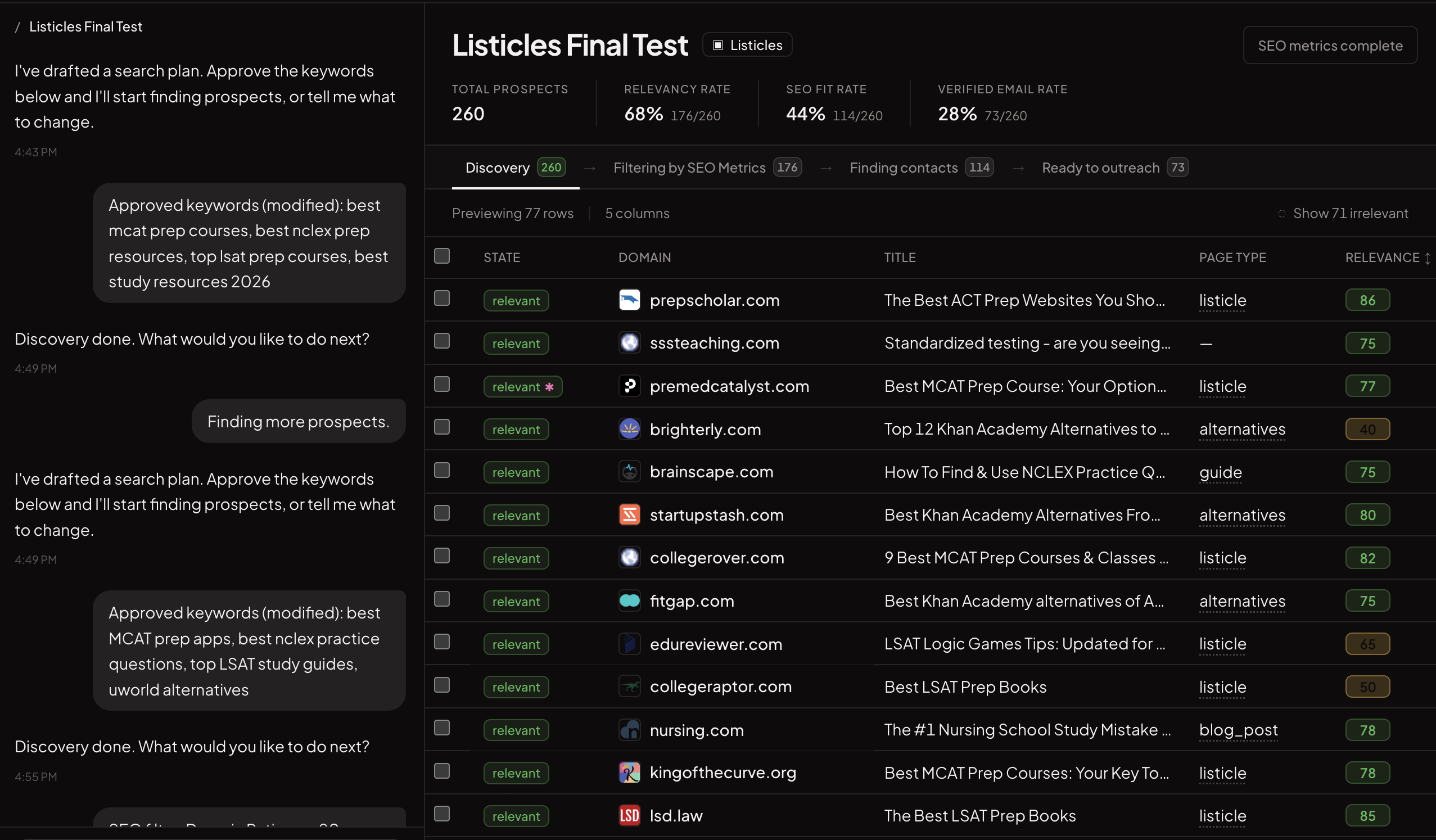
Find the specific page where your website should be included
The second filter was page-level fit.
I was not just looking for a domain. I was looking for the specific page that could include the link. That matters because editors do not think in abstract domain opportunities. They think in pages they own.
The angle gets much stronger when you can say:
- I found this exact listicle.
- I saw the section where our resource fits.
- I understand why your readers would care.
- Here is the specific update I am suggesting.
AutoBacklinks is built around that workflow. It does not stop at "this domain might be useful." It captures the source URL, page type, title, and context so the campaign can be written around the page the editor actually maintains.
Find verified emails for the main contact or marketing team
Bad email data kills good campaigns.
If the list is relevant but the emails are wrong, the campaign still fails. You either bounce, land in the wrong inbox, or send to a generic address nobody checks.
For this campaign, the goal was to find a deliverable contact tied to the website: editor, content lead, marketing team, or the most relevant public contact. AutoBacklinks handles this after the prospecting step, so email finding only happens for prospects that already passed relevance and SEO filters.
That matters. Contact enrichment is expensive when the list is messy. It is much more useful after weak prospects have already been removed.
Send personalized email talking about the page you found
The email was personalized around the page, not around fake flattery.
A lot of outreach personalization is just "I loved your article." Editors can smell that instantly. Page-specific outreach is different. It references the actual page, the audience, and the reason your link belongs there.
The copy should answer:
- Why this page?
- Why your site?
- Why would their readers benefit?
- What would the editor need to change?
AutoBacklinks uses the prospect, website, and campaign context to generate personalized first-touch emails and follow-ups. The point is not to make every email long. The point is to make every email obviously relevant.
If you want the actual wording, I broke down the templates in guest post pitch examples that actually get replies.
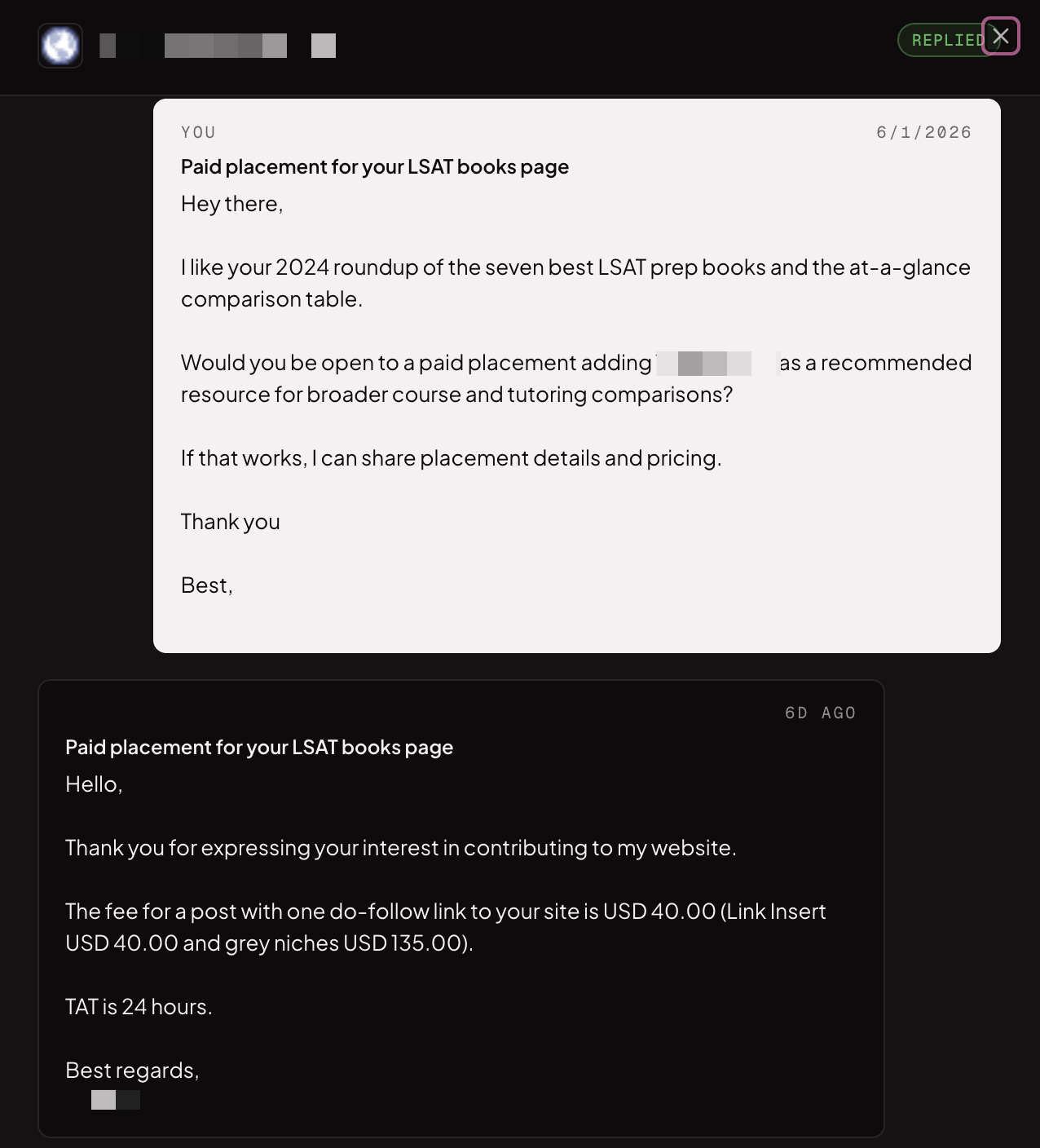
Use pre-warmed email accounts and limit outreach to 30 emails per day
Deliverability still matters.
Even with a relevant list and a strong angle, you can ruin the campaign by sending too aggressively from a cold inbox. I kept the sending volume controlled and used pre-warmed email accounts.
For this campaign, the rule was simple: keep outreach around 30 emails per day so the delivery rate stays healthy.
This is not about being timid. It is about giving the campaign a real chance to reach inboxes. Link-building outreach is already hard enough. Do not make it harder by forcing suspicious sending patterns.
What AutoBacklinks does
AutoBacklinks exists because the old link-building workflow is scattered across too many tabs.
You usually need one tool for competitor backlinks, another for web discovery, another for SEO metrics, another for email finding, another for email writing, and another for sending. Then everything gets copied into a spreadsheet.
AutoBacklinks puts that workflow in one place.
It helps you:
- Find relevant websites from approved keywords or competitor backlink scans.
- Score prospects with AI relevance so generic sites fall out early.
- Filter by DR, traffic, and other SEO metrics before contact lookup.
- Find verified contacts for qualified domains.
- Connect Gmail, Google Workspace, Outlook, or SMTP mailboxes.
- Generate personalized outreach emails from prospect and page context.
- Move verified contacts into campaigns.
- Track opens, replies, bounces, and campaign state in one workspace.
- Run the same campaigns from Claude, ChatGPT, or Cursor through the MCP server.
The important part is the order.
AutoBacklinks does not start by writing emails. It starts by building the list. The tool helps you find the right websites, the right pages, and the right contacts before a campaign is sent. That sequence is what AI link building looks like in practice: automate the labor, keep the judgment.
That is why the 17.1% reply rate happened. Not because the copy was magic, but because the campaign was built on relevance.
The takeaway: better prospecting beats better email copy
If your link-building outreach is not getting replies, do not start by rewriting your subject line.
Start with the list.
Ask whether every site is relevant. Ask whether you know the exact page where your link belongs. Ask whether the email is verified. Ask whether the pitch is written around the page the editor owns.
Better prospecting makes better email copy easier.
That is the whole game.
About Rachid Idali
Founder & SEO Strategist
Rachid Idali has spent 10 years in SEO, running multi-six-figure SEO and link-building budgets across content, digital PR, and outreach programs. He writes about practical systems for finding relevant prospects, earning links, and turning SEO operations into repeatable pipelines.
More from Rachid Idali