

Sending analytics
See what was sent and how much outreach can send next.
Sending analytics combines recent outreach volume with the capacity available across your connected mailboxes. Use both views to understand delivery pace before starting or expanding a campaign.
- 01
Review emails sent in the last seven days
The Emails sent chart shows daily outreach and warmup volume across connected mailboxes. Open Mailboxes when you need to inspect or adjust an individual sender.
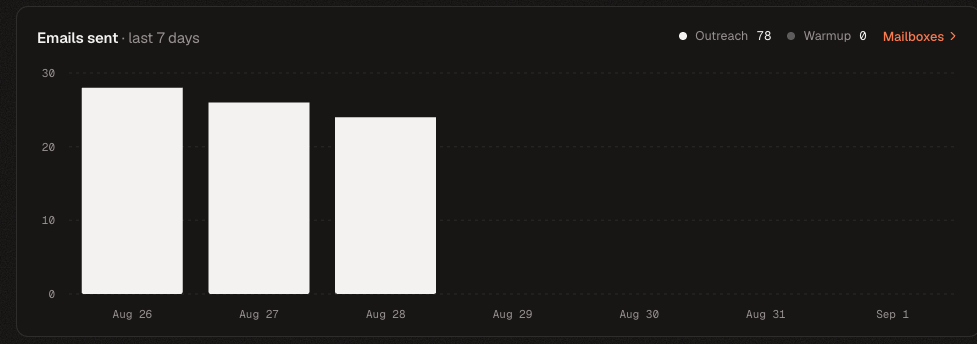
Compare daily outreach volume with warmup activity over the previous seven days. - 02
Check capacity for the next seven days
The Send capacity chart estimates the free outreach slots available each day from your mailbox limits. Sent outreach reduces the available total; warmup is excluded from this capacity.
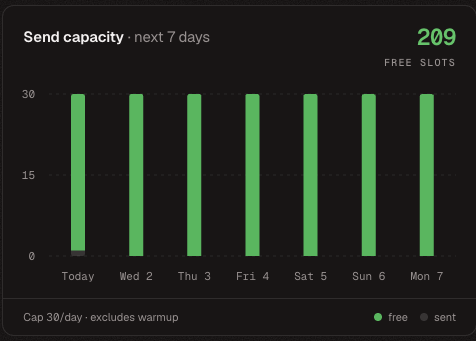
Use future capacity to confirm that scheduled campaigns fit within your mailbox sending limits.