

Automation options and FAQs
Choose how often the automation runs and what every run should do.
Available campaign types
- Guest posts — find publications that could accept a contributed article
- Listicles — find relevant best-of, alternatives, and comparison pages
- Product reviews — find publishers that review products in your category
- ChatGPT sources — find pages cited in answers related to your market
Options you can configure
- 01
Cadence and first run
Choose Every week, Every two weeks, or Every month. You can run the first cycle immediately or wait for the first scheduled date.
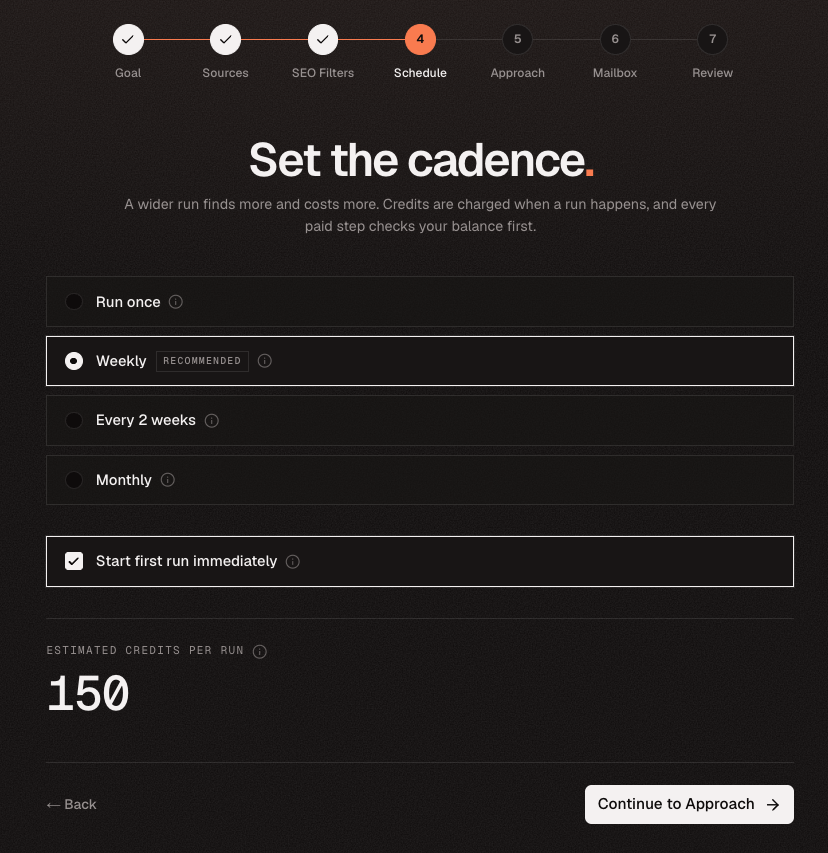
The review step shows when the first run starts and when the next scheduled run follows. - 02
Prospects and SEO filters
Choose 50, 100, or 200 prospects per run. Turn SEO filtering on or off and set minimum Domain Rating and organic traffic requirements. Each run plans fresh keywords or prompts from your website profile.
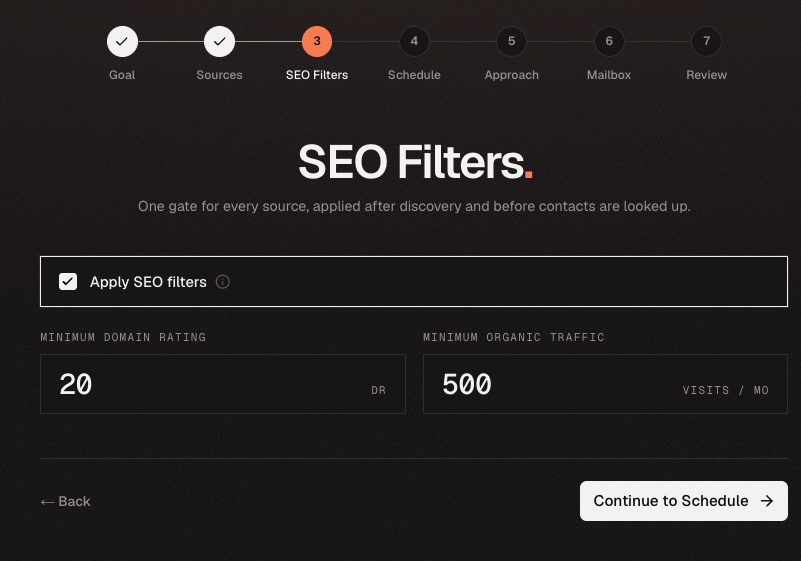
The same quality thresholds are applied to every scheduled run. - 03
Mailbox, approach, and sending mode
Select the sending mailbox and describe the ask or offer that should guide every draft. Choose Review before sending to hold drafts in the Queue, or Send automatically after you trust the setup.
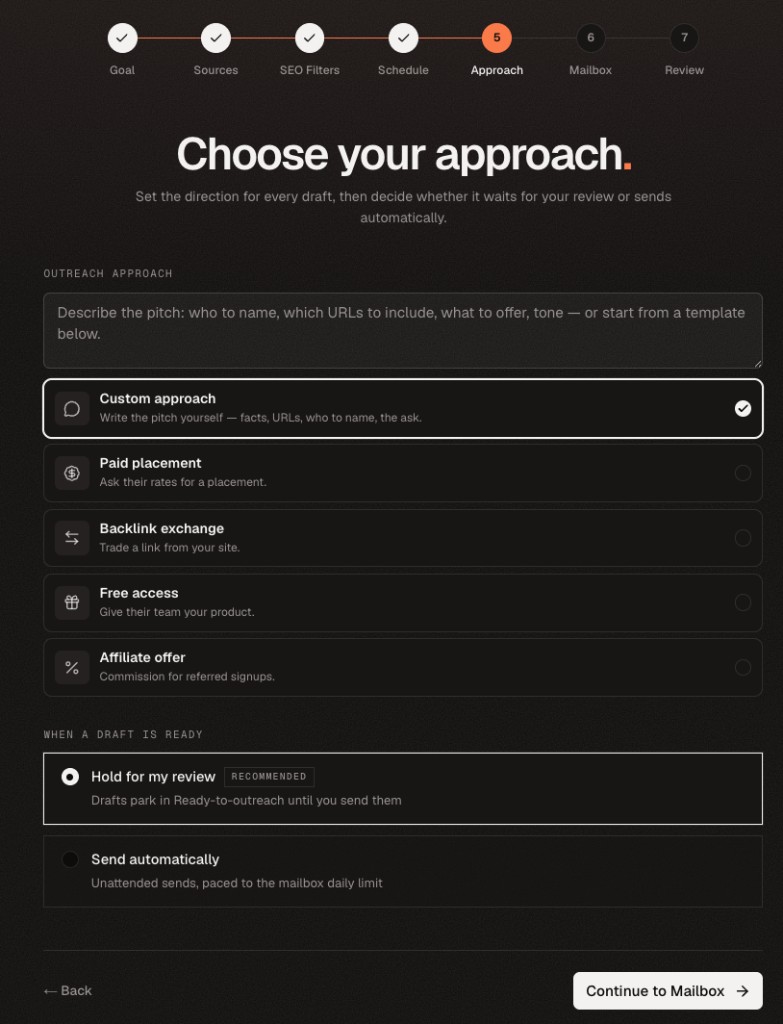
Review before sending is the safer starting point for a new audience or offer. - 04
Name and estimated cost
The automation receives a name automatically unless you enter your own. Before approval, review the campaign type, cadence, prospect count, filters, mailbox, sending mode, first-run timing, and estimated credits per run.
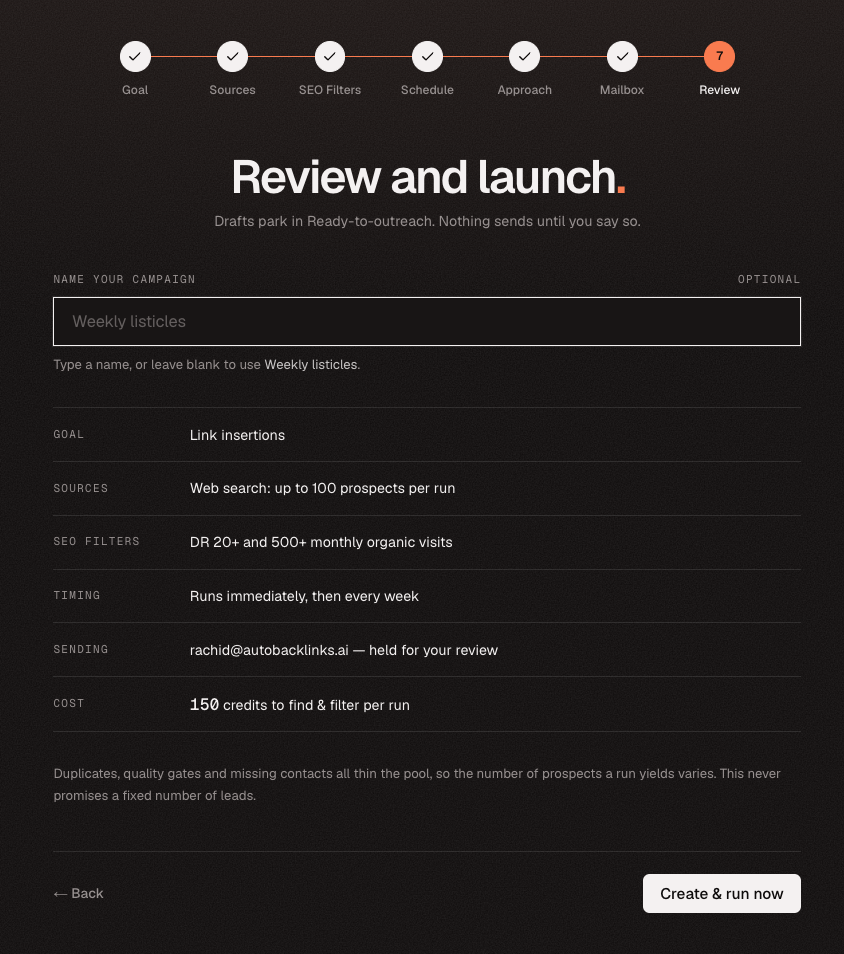
Check the complete setup before turning on the automation.
Common questions
- When are credits charged? When each run happens. Choosing an immediate first run uses credits now; waiting for the schedule does not.
- Can I pause an automation? Yes. Pausing stops future runs until you resume it.
- Can I change it later? You can update cadence, SEO filters, review mode, and the sending mailbox. Pause the campaign before changing its mailbox.
- Can I change the campaign type? No. Create a new automation when you need a different opportunity type.
- Will it repeat the same search? Every run plans fresh keywords or prompts. Websites already used in your outreach are skipped.
- Do emails have to send automatically? No. Review before sending keeps every draft in the Queue until you approve outreach.
- Can I create a one-time run? Use the regular campaign setup or AI Agent when the work should run once instead of recurring.