

Campaign analytics
See campaign health, results, and credit use in one place.
Use Overview for the current campaign health and Activity for the complete history of every run.
Understand campaign performance
- 01
Monitor performance in Overview
Overview shows how many prospects were found, reachable, contacted, replied, and converted into opportunities. Use the chart to compare recent performance and the activity panel to see the latest outreach events.
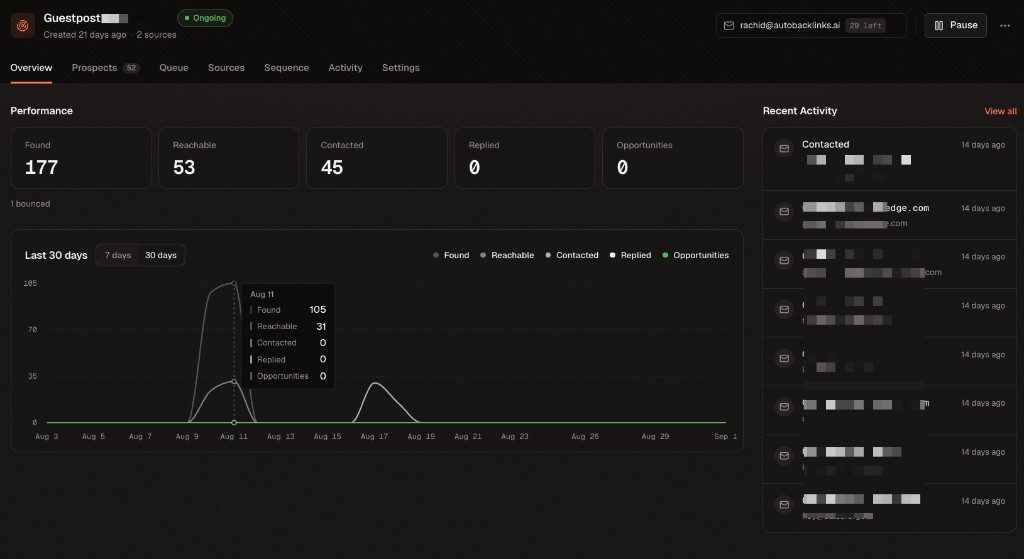
Overview gives you the campaign’s current health and recent sending activity at a glance. - 02
Review every run in Activity
Activity keeps the campaign’s complete run history. Each run shows prospects found, quality checks, verified contacts, enrolled leads, and generated drafts. Open the credit total to see exactly how many credits each action used.
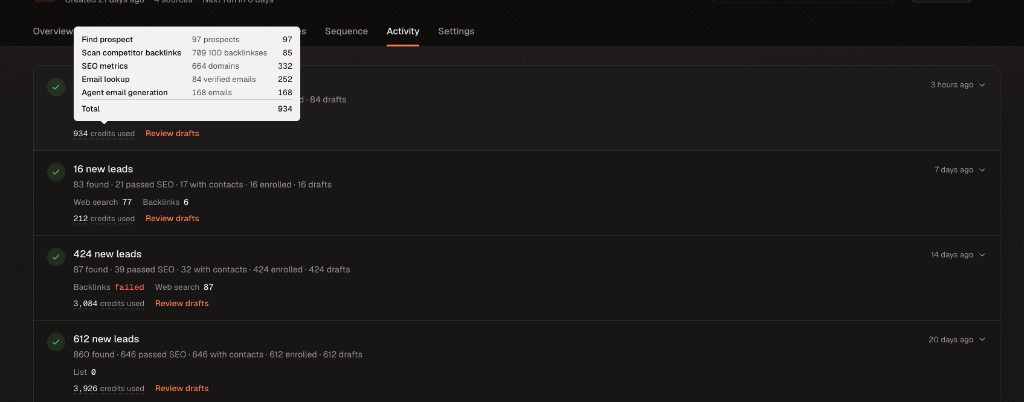
Activity preserves the full campaign history and itemizes credit use for every run.