

Manage campaign outreach
Control what gets sent, when it sends, and what every message should say.
- 01
Manage sending in Queue
Queue separates prospects into Ready, Queued, Sent, and Excluded. Review recipient addresses and draft availability, exclude a prospect when needed, and open a sent prospect to inspect every email and follow-up.
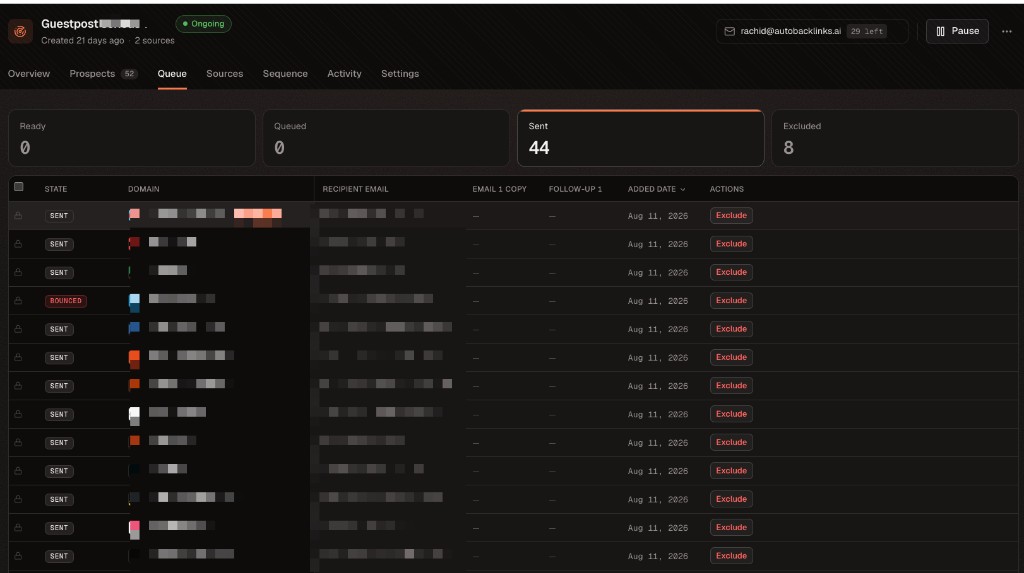
Queue is the operational view for drafts, scheduled sends, sent messages, and exclusions. 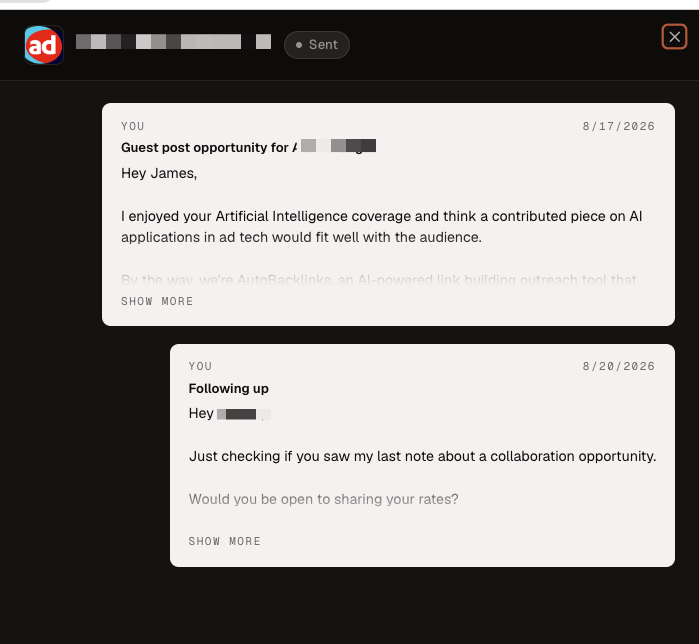
Open a sent row to read the complete sequence exactly as the prospect received it. - 02
Understand the sequence and campaign-wide copy
Sequence shows the initial email and follow-up timing. The Approach controls what every personalized draft should offer, mention, and ask. Choose a template—such as paid placement, backlink exchange, free access, or affiliate offer—or write a custom approach.
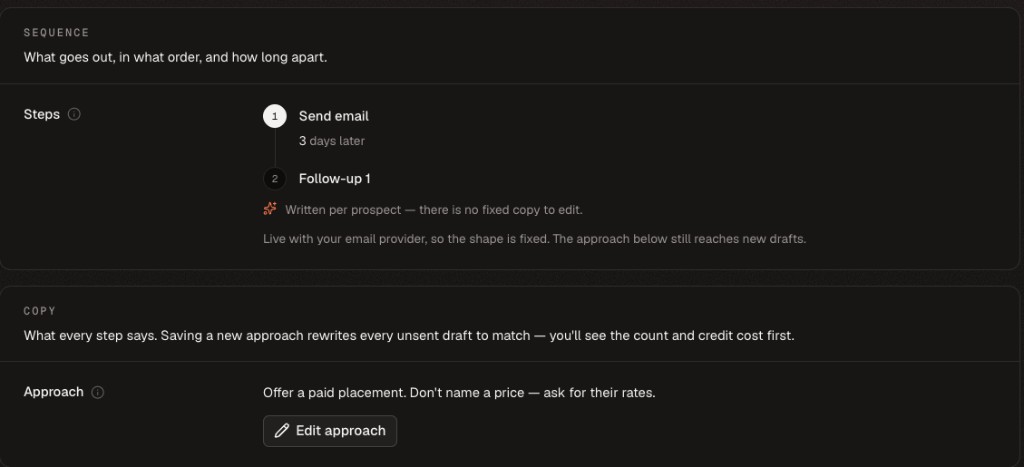
The sequence controls timing; the approach controls the direction of the personalized writing. 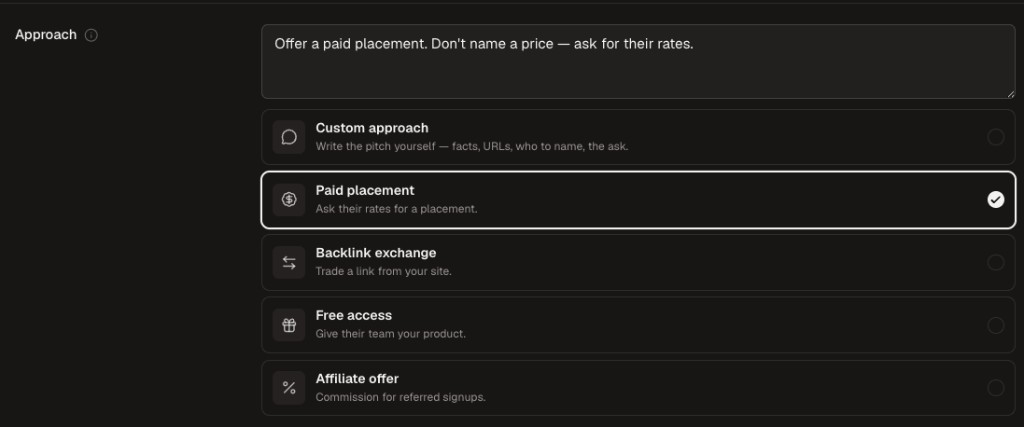
Anything saved in the approach editor applies campaign-wide and rewrites every unsent draft after you confirm the count and credit cost.