

Change campaign settings
Adjust future runs without losing the campaign’s history.
- 01
Change cadence and SEO filters
In Settings → Discovery, change the cadence to weekly, every two weeks, or monthly. You can also turn SEO filtering on or off and update the minimum Domain Rating and monthly traffic for future runs.
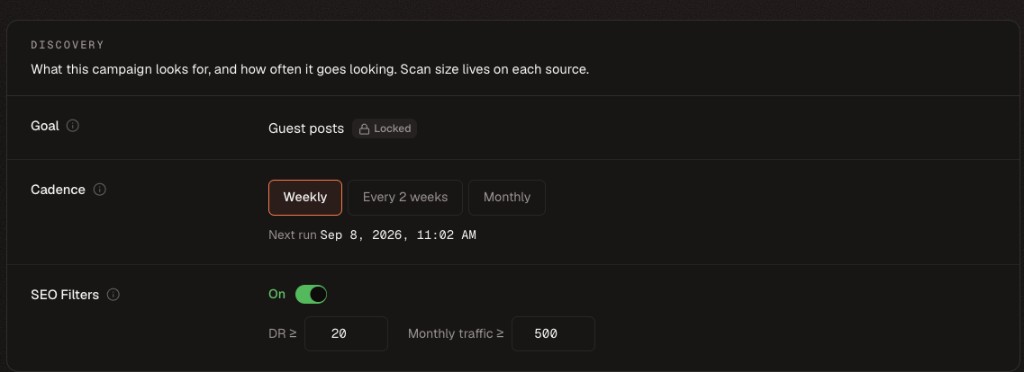
Cadence and quality thresholds can change, but the campaign goal and type are locked after creation. - 02
Change review mode or the mailbox
In Settings → Outreach, switch between Review first and Send automatically. Review first holds drafts in Queue until you approve outreach. Automatic mode sends without waiting for manual approval. To change the sending mailbox, pause the campaign first, select the new mailbox, then resume when ready.
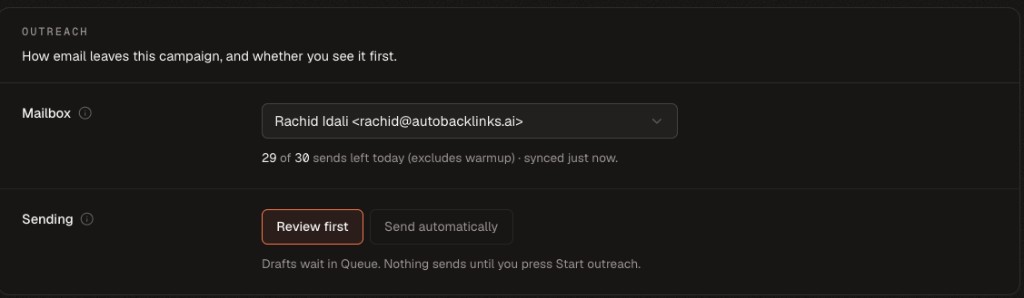
Choose how much control you want over sending; pause the campaign before changing its mailbox.