

Best MCP Servers for Link Building in 2026: 10 Scored

by Rachid Idali
Last Updated: September 14, 2026
An MCP server gives Claude, ChatGPT or Cursor a set of tools it can call on your behalf, and link building needs six of them in a row: find the page, judge it, get a contact, write the pitch, send it, handle the reply. I scored ten MCP servers on those six stages. AutoBacklinks MCP is the only one that covers all six, Ahrefs, Semrush, SE Ranking and DataForSEO cover two each, and six of the ten never get past the data.
That gap is not an accident. Almost every server sold into search work is an SEO data server, and SEO data answers stage one and stage two completely. Then your agent sits there holding a list of domains with nobody to email.
What an MCP server does for link building
The Model Context Protocol is a standard way for an MCP client, meaning Claude, ChatGPT, Cursor or anything else that speaks it, to call another product's tools. You add a server once, sign in, and the model can then ask that product for data or tell it to do something, inside the chat you were already having.
For SEO in general that is enough. Ask for a keyword's volume, get a number back, keep writing.
Link building is not one question. It is a pipeline, and a pipeline breaks at whichever stage nobody automated. On the campaign I keep coming back to, 187 emails produced 32 replies, and what moved that number was judging each prospect and writing each email from their page. Those are stages two and four, and no data server touches either. So I wrote down the six stages a campaign actually passes through and scored each server 1 if its own published tool list covers the stage, 0.5 if it half covers it, and 0 if it does not.
- Find prospects. Return candidate pages or domains worth pitching, from live search, a competitor's backlinks, or an index.
- Qualify. Judge a candidate on SEO metrics or topical fit before a human reads the row.
- Verified contact. Return a deliverable email address for that site, checked rather than guessed.
- Pitch from the page. Draft the outreach email from that prospect's own page, as part of the workflow.
- Send and follow up. Put the email in a real mailbox on a schedule, with follow-ups.
- Replies and placement. Read what comes back, answer it, and track what it turned into.
Stage four is the one that needs a definition, because a language model can always write an email. Any model with a scraper attached can draft a good pitch for one prospect. The stage is whether the server does it in a single call, against campaign state that persists from one prospect to the next, which is the difference between a demo and a pipeline.
Scores come from each vendor's published tool list and documentation rather than a hands-on run of all ten.
As for which ten: I took the servers an SEO or link builder would actually reach for, being the four big SEO data platforms with a published MCP, the two web-reading servers agents use for prospecting, the contact finder, the two cold email platforms, and ours. Sales-side servers that find companies and run sequences are out of scope, because prospecting a company is a different job from prospecting a page. So is every server with no published tool list to score.
The 10 best MCP servers for link building, scored on six stages
Each column is one stage of a link building campaign, find prospects, qualify them, get a verified contact, pitch from the page, send and follow up, handle replies, scored 1, 0.5 or 0 from each vendor's published tool list.
| MCP server | Find | Qualify | Contact | Pitch | Send | Replies | Score |
|---|---|---|---|---|---|---|---|
| AutoBacklinks | 1 | 1 | 1 | 1 | 1 | 1 | 6.0 |
| Ahrefs | 1 | 1 | 0 | 0 | 0 | 0 | 2.0 |
| Semrush | 1 | 1 | 0 | 0 | 0 | 0 | 2.0 |
| SE Ranking | 1 | 1 | 0 | 0 | 0 | 0 | 2.0 |
| DataForSEO | 1 | 1 | 0 | 0 | 0 | 0 | 2.0 |
| Instantly | 0 | 0 | 0 | 0 | 1 | 1 | 2.0 |
| Firecrawl | 1 | 0.5 | 0 | 0 | 0 | 0 | 1.5 |
| Hunter | 0 | 0 | 1 | 0 | 0 | 0 | 1.0 |
| Exa | 1 | 0 | 0 | 0 | 0 | 0 | 1.0 |
| Smartlead | 0 | 0 | 0 | 0 | 0 | 0.5 | 0.5 |
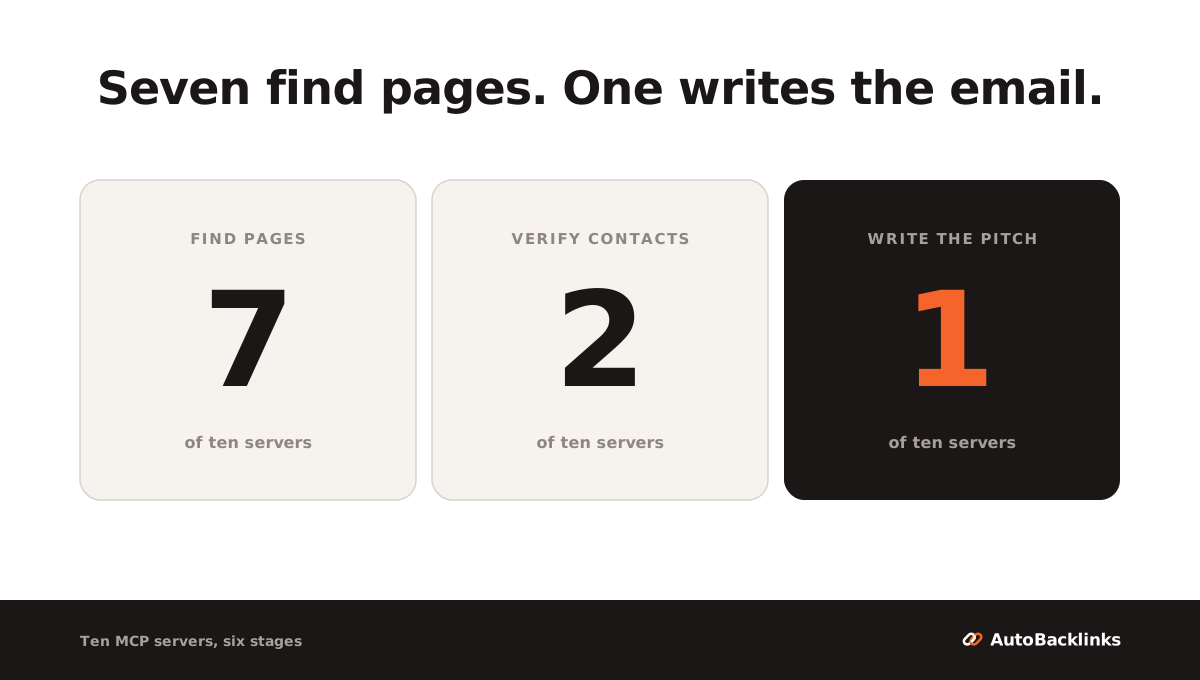
Read the columns rather than the rows and the shape of this category shows up immediately. Seven servers find pages. Five judge them on SEO metrics, and Firecrawl takes half a point for reading the page itself. Of the ten MCP servers scored here, two get you a verified email address, two publish a tool that sends, and one, AutoBacklinks MCP, writes the pitch from the prospect's own page.
Our own row is the 6, which is worth saying plainly rather than arranging the scoring around. I built it, so treat that row as a spec sheet you can check against the tool list on our MCP page, not as a review.
Now the cells a reader would argue with.
Stage three works differently in the two servers that take it, and the difference matters more than the point does. Hunter exposes contact lookup as its own tool, so you can ask for one address about one domain. AutoBacklinks finds and verifies contacts inside a campaign run instead, and hands them back through get_lead_context, so there is no standalone "look up this domain" call. Instantly can verify an address you already hold, which is not the same job: verification without discovery still leaves you finding the person.
Hunter takes a zero on stage one, which looks harsh for a product with a prospecting tool in it. Discover finds companies by firmographics, and "companies in fintech with 50 to 200 staff" is not the same list as "pages that already rank for my topic and already link out". It is a good answer to a different question.
Smartlead takes a half on stage six because the tools its help pages name are reads: campaign status, lead data, deliverability checks. It publishes no complete tool list, so treat the half as the floor of what it does rather than a ceiling.
Two servers you will see recommended elsewhere are deliberately not in the table.
Google Search Console's MCP tells you which of your pages are slipping and therefore need links. That is target selection rather than prospecting, so it never touches a stage as defined here.
Microsoft's Playwright MCP is open source, runs as a local process and costs nothing to use, and it drives a real browser: navigate, snapshot, click, type, screenshot. But it is a general automation tool, not a link building one. It can open a prospect's contact page, and it has no idea what a prospect is.
Both are useful. Neither is scored, because scoring them would mean grading a hammer on how well it drives screws.
No data server takes stage three, and that is the single most important cell in the table. Ahrefs, Semrush, SE Ranking and DataForSEO between them publish hundreds of tools and not one of them returns a person's email address, because none of them holds contact data in the first place.
AutoBacklinks MCP: the whole link building loop from chat
AutoBacklinks MCP is our own server, so the numbers below come out of the repository rather than the marketing page.
The server is at mcp.autobacklinks.ai and publishes 57 tools in six groups: websites and setup, scans and prospects, campaigns, across the website, draft review and sending, and inbox and opportunities. Of those 57, 48 cost nothing to call, 7 spend credits, and 2 send email. That split is the useful number, because it means an agent can look at everything before anything is billable.
Every stage maps to a named tool rather than to a claim.
- Find.
start_competitor_scanturns a rival's backlinks into prospects, the same engine behind our competitor backlinks analyzer. - Qualify.
get_domain_enrichmentreturns cached site type, niche, Domain Rating, organic traffic and spam scores. - Contact.
get_lead_contexthands back the prospect behind a draft, including the verified contact. There is no standalone lookup call, because the campaign run does the finding. - Pitch.
generate_draftswrites the emails from each prospect's own page. - Send.
send_draftsqueues them to your mailbox at your mailbox's pace. - Replies.
list_threadsandreply_to_threadhandle what comes back, andlist_opportunitiestracks what it turned into.
Sign-in is OAuth, so no API key is pasted into a chat window. Clients with a setup guide are Claude, ChatGPT, Cursor, Claude Code, Hermes, OpenClaw, Codex and Gemini CLI, plus anything else that can add a remote MCP server.
The approval model is the part I would check first in any server that can spend your money.
- Credits are quoted before a spend, and the action waits for a yes.
- New campaigns hold every draft, so sending is a separate confirmation.
- A mailbox password never passes through the conversation.
get_mailbox_connect_linkreturns a dashboard link and you connect Gmail or SMTP in your browser. - Each connected app carries its own ceiling, 120 requests a minute and 1,000 credits a day by default.
Credit prices are published per action, which makes the arithmetic for one prospect checkable: 1 credit to discover it, 1 credit per two domains for SEO metrics, 3 credits for a verified email, 1 credit to write the email. That is 5.5 credits at volume and 6 for a single prospect, so 17 to 19 cents on the $79 plan's 2,500 credits, for a prospect that arrives qualified, contactable and written to. Follow-ups in the sequence are charged per email on the same basis. The same arithmetic sits behind our prospecting tool scores.
Plans are $79, $179 and $399 a month on 2,500, 7,500 and 20,000 credits. The trial is 7 days and 120 credits, with a card, and the MCP needs an active plan or trial: it is not a free add-on to an account with nothing on it.
What you cannot do at this price: use it as your SEO platform. There is no rank tracking, no site audit and no keyword dashboard, so your Ahrefs or Semrush seat stays. It does not write the guest post either, only the email asking for a guest post or a link insertion.
Ahrefs MCP, Semrush MCP, DataForSEO MCP and SE Ranking MCP: the backlink data servers
These four are the servers people mean when they say SEO MCP. All four are excellent at stages one and two and all four stop there, by design rather than by oversight.
Ahrefs MCP
Ahrefs runs a hosted remote server at api.ahrefs.com/mcp/mcp, available on paid plans from Lite upward. Setup guides cover Claude, Claude Code, ChatGPT, Copilot Studio, n8n, Manus, Le Chat and OpenClaw.
It publishes 20 tool groups. Read the names and you have a working definition of what an SEO MCP is:
- Site Explorer reports, being backlinks, referring domains, anchors, organic keywords, top pages
- Site Explorer overview, being Domain Rating, backlink counts, organic and paid overview
- Keywords Explorer, SERP overview, Rank Tracker, Site Audit
- Brand Radar, Content Helper, social media
- five groups of Web Analytics, plus Google Search Console
- batch analysis, account management, public endpoints, subscription info
For link building, two of those groups do the work. Site Explorer reports give you a competitor's backlinks, referring domains and anchors, which is a prospect list. Site Explorer overview gives Domain Rating and traffic, which is the filter.
Ahrefs also solved a problem the rest of this category has not. Some clients cap how many tools a server may advertise, so you can pass tools=essentials for a curated set, or name the groups you want in the URL.
The cost is not the subscription, it is the units. Calls made by your AI client consume API units from your monthly allowance exactly like direct API usage, so an agent that loops over 400 domains is spending the same budget your reporting scripts use.
Semrush MCP
Semrush's MCP is read-only and honest about it. It exposes all of the SEO API, all of the Trends API at your subscription level, and only the read methods of the Projects API, so an agent can look at your projects but cannot create one or change its settings.
Access rides an existing plan: Semrush One Starter, Semrush One Pro+, SEO Classic Pro or SEO Classic Guru, each of which includes 50,000 API units that refresh on renewal. SEO Classic Business and Semrush One Advanced need a units package on top, sold in blocks of 2 million and up.
For link building the relevant half is the Backlinks API: summary, referring domains, anchors, competitors, plus the Backlink Audit style reports. Same job as Ahrefs, same stopping point.
Semrush ships setup guides for Claude, Claude Code, ChatGPT, Cursor, VS Code, Antigravity, Perplexity and Lovable.
DataForSEO MCP
DataForSEO is the wholesale data layer a lot of SEO tools are built on, and its MCP takes an unusual shape. Rather than one tool per endpoint, the server ships four tools: three that browse and search the API documentation, and one that makes the request, keyed by endpoint path. The same binary serves the MCP server and a command-line client.
In practice the agent reads the docs for backlinks/summary/live or serp/google/organic/live/advanced, then makes the call. That is more setup than a packaged server and more reach than any of them: if DataForSEO has an endpoint, your agent can reach it.
It is pay as you go rather than a subscription, priced per API call with no monthly floor, so cost scales with how chatty your agent is and an agent in a loop is chattier than you expect. The field-config option, which limits which response fields come back, matters more than it sounds: SERP responses are large, and an unfiltered one eats a context window.
SE Ranking MCP
SE Ranking's remote server sits at api.seranking.com/mcp with OAuth sign-in, and its own documentation tells you Claude Code will show 160+ tools once connected. That is the largest published tool count in this roundup by a wide margin.
The tools split into data and research, covering keywords, backlinks, domain overview, SERP and AI search visibility, and project management, covering the rank tracker, audits, competitors and prompt monitoring. Backlink coverage is deep: new and lost backlinks, daily deltas, referring domains and IPs, anchors, page and domain authority with history.
It also publishes a link building quickstart, which is further than the others go, and that quickstart still ends where the data ends. You get a list of domains that link to a competitor. Nobody at those domains is named.
Connection needs API access on the account, and the API runs on its own credit system, bought separately from the platform seat and metered per call. Budget it as a second subscription rather than a feature of the first.
MCP servers that find and read link prospects: Firecrawl and Exa
If you are building the pipeline yourself, these two are how your agent sees the open web. Neither is an SEO product, and both are better at reading a page than any SEO index is.
Firecrawl MCP
Firecrawl's server lists 25 tools with the default profile, including firecrawl_search, firecrawl_scrape, firecrawl_map to enumerate a site's URLs, firecrawl_crawl, and an agent tool for multi-step browsing.
For link building it covers stage one properly and half of stage two. Your agent can search for "write for us" pages in a niche, scrape each one, and read the submission guidelines. What it cannot do is tell you the site's Domain Rating, because Firecrawl holds no SEO metrics, so the SEO half of qualification still needs a data MCP next to it.
The entry point costs nothing: scrape, search and parse work on a keyless tier at a rate limit, and the free plan gives 1,000 credits a month with no card. Paid starts at Hobby, $19 a month billed monthly or $16 billed annually for 5,000 credits, and Standard is $83 a month billed annually for 100,000 credits. Search and scraping draw on one shared balance.
Exa MCP
Exa is a search API built for agents, and its MCP is the thinnest server here: web search, an advanced search, a fetch tool and crawling. Four tools, one job, done well.
That job is stage one only. Exa finds pages by meaning rather than by keyword, which is genuinely useful for resource-page and listicle prospecting where the phrasing varies. It returns no metrics, no contacts and no way to act on what it found.
Pricing is the friendliest of the ten. The starter tier hands you $20 of credits at sign-up and $10 of credits every month with no payment method, and MCP access is included at that level. Beyond it, search runs $7 per 1,000 requests and page contents $1 per 1,000 pages.
MCP servers for contacts and outreach email: Hunter, Instantly, Smartlead
These three cover the second half of the pipeline, and between them they still leave a hole in the middle.
Hunter MCP
Hunter's server lives at mcp.hunter.io/mcp, authenticates with an API key header or OAuth, and is included in every Hunter plan at no extra cost, drawing on the credits you already have. Those credits are the real price: paid plans start at $49 a month for 2,000 credits, with a verification costing half a credit, and the no-cost tier gives 50 credits a month, which is a tester rather than a month of prospecting.
It is the only server here that exposes contact lookup as a tool you can call on its own. The published capabilities are Discover, Domain Search, Email Finder, Email Verifier, company and person enrichment, and Leads management. So your agent can take a domain, get the people at it, find a specific person's address, and check deliverability with a confidence score before anything sends. Hunter's own rule for its MCP is the one that matters:
Every contact is found and verified, never guessed.
An unverifiable contact gets flagged rather than invented. Guessing is what burns a sending domain.
Contacts save to Hunter Leads without a CSV. What the MCP does not do is prospect for link targets, because Discover is built around company firmographics rather than pages that link out. Hunter sells an AI writing assistant and sends through Sequences, but neither appears in the MCP tool list, so the drafting and the sending stay in the app.
Instantly MCP
Instantly is a cold email platform, and its MCP is the most capable sending server in this list, at mcp.instantly.ai/mcp and 31 tools across five groups:
- leads, 11
- campaigns, 6
- accounts, 6
- email, 5
- analytics, 3
That covers stages five and six properly. An agent can create a campaign, add leads, pause underperformers, read reply rates, show recent replies and answer one. Plans start at $47 a month on the Outreach Growth tier.
The eleven lead tools are the ones worth reading closely, because they look like stage one and are not. They add leads, move leads between campaigns, list them and update them: lead management inside Instantly, not lead discovery on the open web. The email group can verify an address you supply, which is stage three's back half without its front half.
So it does not do the link building half at all. There is no page reading, no SEO filter, no way to ask which sites already link to a competitor. It is a cold email tool that link builders can use, not a link building tool.
One setup detail is worth flagging before you connect it. Authentication is an API key in an Authorization header, or, where the client cannot send custom headers, in the URL path itself. A key in a URL ends up in config files and logs, so keep that config out of anything shared.
Smartlead MCP
Smartlead's MCP connects over SSE only, at mcp.smartlead.ai/sse with the API key in the query string, and the capabilities its help pages name are reads: fetch campaign insights, run deliverability and health diagnostics, access lead, account and performance data. The only commands it names, and it names them as examples rather than as a list, are get_campaign_status, fetch_lead_data and check_deliverability.
It is the one server here that publishes no complete tool list, so the score is the floor of what it does rather than the ceiling. Smartlead's REST API can create campaigns and send, and the help page says the integration lets you manage campaigns, so connect it and enumerate the tools yourself before you assume either way.
On what is documented, it is a reporting connection rather than an outreach one: half of one stage out of six. If you run Smartlead and want an agent to tell you which mailbox is degrading, this is the server.
Three MCP servers or one: what a link building stack costs
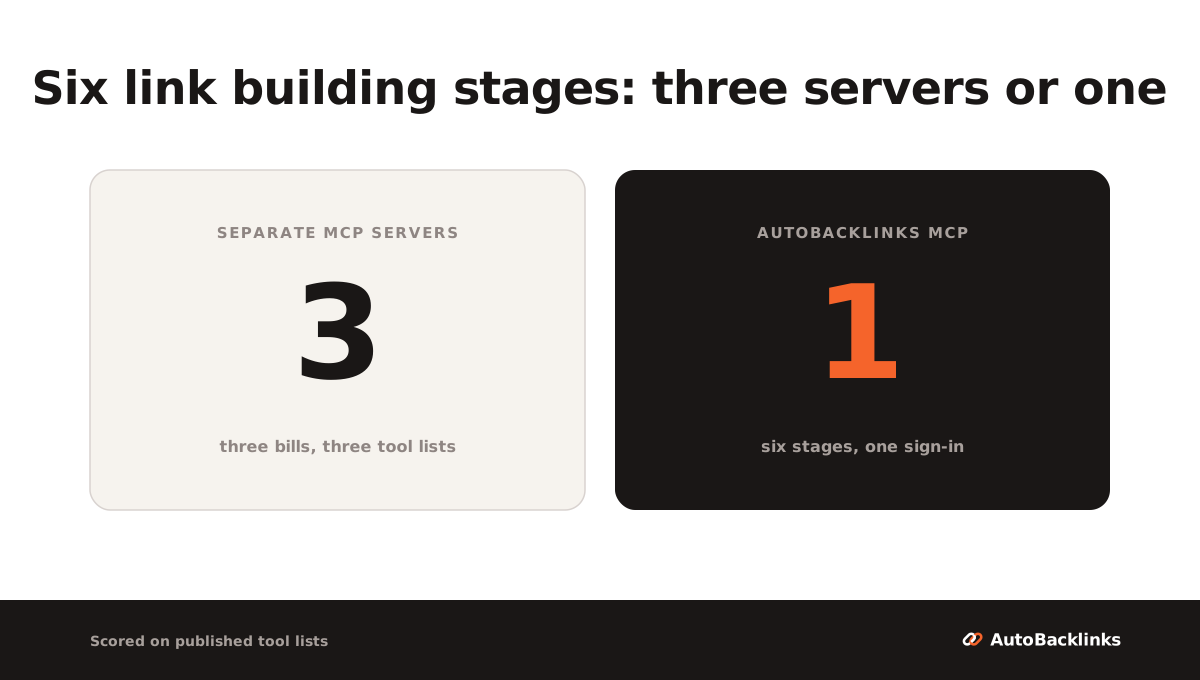
If you refuse to use a single-vendor server, the honest build is three connections: a data MCP for stages one and two, Hunter for stage three, Instantly for stages five and six. Add Firecrawl or Microsoft's open-source Playwright MCP when your agent needs to actually read a page, and Google Search Console when you want to pick which of your own pages needs links.
That stack works. Here is what the entry rung of it costs, at each vendor's own published price.
| Stage covered | Server | Entry plan | Metered in |
|---|---|---|---|
| Find, qualify | Ahrefs | $129 a month (Lite) | API units |
| Verified contact | Hunter | $49 a month (Starter, 2,000 credits) | credits, verify costs 0.5 |
| Send, replies | Instantly | $47 a month (Outreach Growth) | contacts and sends |
| Pitch from the page | nobody |
That is $225 a month across three vendors for five of the six stages, against $79 for one server that covers all six. The gap is not the point, though. The empty row is.
The costs that do not show up on a feature comparison are the rest of it.
- Three bills with three billing models. An Ahrefs plan metered in API units, a Hunter plan metered in credits, an Instantly seat metered in contacts and sends. Nothing reconciles them, so nobody on your team knows what a link cost.
- Three tool lists in one context window. Ahrefs alone can exceed a client's tool cap, which is why
tools=essentialsexists. - Stage four is still yours. No combination of these publishes a tool that writes the pitch from the prospect's page. The model in the chat can obviously write an email, and with Firecrawl feeding it a page it can write a good one. It just does that one prospect at a time, in a window you are sitting in front of.
- Nothing remembers who you contacted. Each server sees its own slice, so a domain you pitched in March through Instantly is invisible to the Ahrefs list you build in September.
That last one is the expensive failure. Pitching an editor twice is worse than not pitching them, because they remember.
The arithmetic that made me build this as one server rather than three is in our own campaign: 187 emails sent, 155 opened, 32 replies and 6 bounces on an education-niche site, a 17.1 percent reply rate. The copy was ordinary. What moved the number was that every prospect had been judged and every email was about their page, which is stages two and four, the two stages a stitched stack leaves to a human at 2am.
How to connect a link building MCP server to Claude, ChatGPT or Cursor
Setup comes in three shapes, and knowing which one you are dealing with saves the evening.
- Remote server with OAuth. You paste a URL, a browser window opens, you approve, done. AutoBacklinks, SE Ranking and Hunter work this way, and Ahrefs shows a consent screen and then issues a scoped key of its own. This is the shape to prefer: no key you manage ever touches a config file.
- Remote server with an API key. You paste a URL and add the key in a header, or in the URL when the client cannot do headers. Instantly and Smartlead work this way.
- Local process. Your client runs
npx mcp-remote <url>or a local binary, which needs Node installed and breaks in more interesting ways. DataForSEO and several community servers work this way.
In Claude, connectors are added under Settings, then Connectors, and they are per chat, so a server you added yesterday still has to be switched on in today's conversation. In ChatGPT, developer mode under Settings, Apps, Advanced settings gates the whole feature, and the step-by-step version is in our guide to ChatGPT link building. In Cursor and Claude Code it is a line of JSON or one terminal command.
Two failures account for most of the "it connected but Claude cannot see the tools" reports. Clients cache the tool list, so removing the server, adding it again and starting a new chat fixes a stale one. And several clients cap how many tools they will accept, which is why a 160-tool server may silently drop the tools you wanted.
If you want the wider picture of what an agent can and cannot do once connected, our roundups of AI SEO agents and Claude SEO skills cover the two neighbouring categories: servers give a model tools, skills give it instructions, agents decide what to do next. For the step after setup, building backlinks with Claude walks each link type through as a prompt.
Which MCP server for link building to pick
Pick on the stage that is slow for you, not on the tool count.
- Your bottleneck is finding and judging prospects, and you already pay for SEO data. Connect the MCP for the platform you already have. Ahrefs from Lite up, Semrush on One Starter or SEO Classic Pro, SE Ranking with API access. You are not choosing a link building tool, you are pointing a chat window at data you already bought.
- Your bottleneck is contacts. Hunter, included in whatever plan you already hold.
- Your bottleneck is sending and follow-up, and prospecting is solved. Instantly.
- You are building a pipeline in code. DataForSEO for data, Firecrawl or Exa for reading the open web, Playwright when a page needs a real browser.
- Two stages are slow, not one. Price the stack before you assemble it. Three connections at the entry rung is $225 a month and still leaves you writing every email.
- You have no budget yet. Firecrawl's keyless tier and Exa's monthly starter credits cost nothing, and Google Search Console tells you which of your pages need links. That is AI link building done by hand with an agent holding the torch, and it is a real place to start.
- Your bottleneck is the whole loop. One server that covers all six stages, which is the case I built AutoBacklinks MCP for, from $79 a month.
A last honest limit on all of this. The scores measure coverage, not quality: a server can cover a stage and cover it badly, and a tool list is a claim about what a product attempts rather than proof that it succeeds. What the table does show is where each product stops, and for link building that is the question that decides your week.
If you want the same six-stage thinking applied to ordinary apps instead of MCP servers, that is what our link building automation and AI link building tools roundups do.
FAQ
What is an MCP server for link building?
An MCP server for link building is a server that gives an AI client tools for the outreach pipeline rather than just for SEO data. The pipeline has six stages: find prospects, qualify them, get a verified contact, write the pitch from the prospect's page, send and follow up, then handle replies and track the placement. Most servers marketed to SEO teams cover only the first two stages, because they are data products.
What is the best MCP server for link building?
AutoBacklinks MCP is the only one of the ten servers scored here that covers all six link building stages, from $79 a month on 2,500 credits. Every other pick depends on which stage is slow for you. For prospect data, connect the MCP of the platform you already pay for: Ahrefs from its $129 Lite plan, Semrush on One Starter or SEO Classic Pro, SE Ranking with API access. For verified contacts, Hunter starts at $49 a month, and for sending and follow-up, Instantly starts at $47.
Can an MCP server send outreach emails?
Two of the ten publish a tool that does: AutoBacklinks and Instantly. The four largest SEO servers, Ahrefs, Semrush, SE Ranking and DataForSEO, are read-only by design, and Hunter keeps sending in its own app rather than in the MCP. Smartlead is the awkward case, because it is a sending platform whose documentation names only read tools and publishes no full list, so enumerate its tools once connected. Either way, check what approval sits in front of a send tool before anything leaves your mailbox.
Are there free SEO MCP servers?
The free entry points are for reading the web, not for SEO data. Firecrawl's scrape, search and parse tools work without an API key at a rate limit, and its free plan gives 1,000 credits a month with no card, while Exa's starter tier includes MCP access with $20 of credits at sign-up and $10 a month after. Every server carrying real SEO data rides a paid plan you already hold, and the calls your agent makes spend that plan's API units or credits.
Ahrefs MCP or Semrush MCP for link building?
Both score 2 of 6 on the link building stages, so separate them on what you already own and what the plan includes. Ahrefs needs a Lite plan or higher, publishes 20 tool groups, and lets you request a curated subset when your client caps tool counts. Semrush needs One Starter, One Pro+, SEO Classic Pro or Guru, each including 50,000 API units, and is read-only across the SEO and Trends APIs plus read methods of the Projects API. Neither returns an email address.
About Rachid Idali
Founder & SEO Strategist
Rachid Idali has spent 10 years in SEO, running multi-six-figure SEO and link-building budgets across content, digital PR, and outreach programs. He writes about practical systems for finding relevant prospects, earning links, and turning SEO operations into repeatable pipelines.
More from Rachid Idali