

ChatGPT Link Building in 2026: I Ran the Prompts

by Rachid Idali
Last Updated: October 20, 2026
I asked ChatGPT the same question twice, word for word, minutes apart: which sites link to a competitor of mine. It named 29 domains across the two answers. Not one of them appeared in both.
That is the short version of what ChatGPT is for in link building. It writes the pitch, the subject lines and the follow-up at a standard you can send, and it cannot tell you which site is worth sending them to, because it has no backlink index, no verified contacts and no mailbox.
I ran the ChatGPT link building prompts rather than describing them. Every prompt below went to OpenAI's GPT-5.5, with web search on for everything that needed the live web and off for the three writing prompts that did not. Then I fetched every URL it handed back and checked every domain it named against a live backlink index.
The short version of what came back:
- The writing prompts hold up. Given a real page, it quoted that page's real title, addressed the real author by name, and produced an email I would send after one edit.
- The prospecting prompts return real pages that are mostly unpitchable. Not fake. Real, and wrong.
- The same prompt twice gives two different answers. Asked which sites link to a competitor, twice, word for word, it named 29 domains in total and not one of them appeared in both answers.
- It fills in metrics it does not have. Asked for Domain Rating inside a prospect table, it supplied one for all 15 rows of the first run and 6 of 15 in the second. Asked for Domain Rating and traffic as the question itself, the same model answered "N/A" in all ten cells.
- The fix is an execution layer, not a better prompt. Connect the AutoBacklinks MCP to ChatGPT and it closes the stages the model cannot reach. Every spend waits for your approval.
What ChatGPT can do for link building on its own
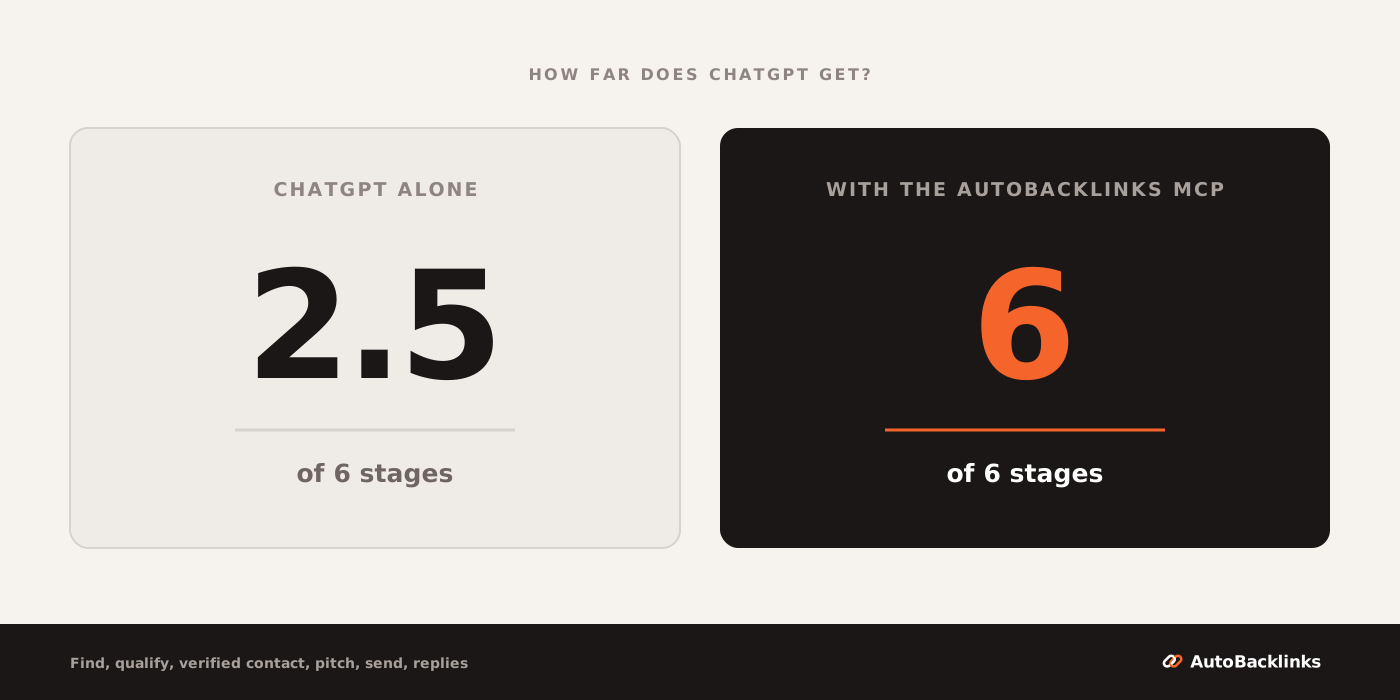
A link building campaign passes through six stages. These are the same six I used to score MCP servers for link building and to score Claude in the companion piece on how to build backlinks with Claude, so the three are directly comparable.
| Stage | ChatGPT alone | With the AutoBacklinks MCP |
|---|---|---|
| 1. Find prospects | Half. Web search surfaces real pages. There is no backlink index behind it, and two identical runs share no results | Yes |
| 2. Qualify | Half. It reads a page and judges the fit. It has no Domain Rating (Ahrefs' 0 to 100 authority score), traffic or spam figure | Yes |
| 3. Verified contact | Half. It finds a published submissions route. It cannot confirm an address resolves | Yes |
| 4. Pitch from the page | Yes. The one stage a language model is genuinely built for | Yes |
| 5. Send and follow up | No. No mailbox, no schedule | Yes |
| 6. Replies and placement | No. It never sees your inbox | Yes |
ChatGPT scores 2.5 of the 6 link building stages on its own, and the only whole point is the writing. Claude scores about the same on this rubric, which is what you would expect rather than a finding: the stages that decide the score are account access, not model quality. I did not run Claude in this test, so take that as context, not a measurement.
The right-hand column is our own server, not MCP servers generally. Of the ten servers I scored, six never got past stage two, so do not read that column as what any connector gives you.
What my test adds is that the three halves are softer than the number makes them look. A half that returns a different answer every time is worth less than half.
I tested the ChatGPT link building prompts: what came back
The method. All prompts were sent on 20 October 2026 through the DataForSEO ai_optimization/chat_gpt/llm_responses/live endpoint, model GPT-5.5. Web search was on for the prospecting, metrics and contact prompts and off for three of the writing prompts, which need no live fact. This is plain chat with web search, not Agent mode or Deep Research, and I set no location, so the answers are whatever the endpoint's default resolves to. The backlink prompt and the guest post prompt were each sent twice with identical wording.
The niche was project management software, a real and crowded market.
Then the checking. Every URL in every answer was fetched with a browser user agent, and every domain named as a backlink source was tested against DataForSEO's live backlink index for the target site.
One caveat before the numbers, because it cuts against me: this is one niche, one model, one country, one day. The counts below are what this test found, not a measurement of ChatGPT in general.
The backlink prompt: 29 domains, not one repeated
The competitor link replication prompt:
List 15 websites that currently link to asana.com.
For each give the linking page URL and that domain's Domain Rating.
Table only.
I sent it twice, word for word, minutes apart. The first run returned 15 rows on 14 domains. The second returned 15 rows on 15 domains, nine of which carried no page URL at all, only a note that the linking page was not exposed.
Across the two answers it named 29 unique domains, and the overlap between them was zero. Not one domain appeared in both.
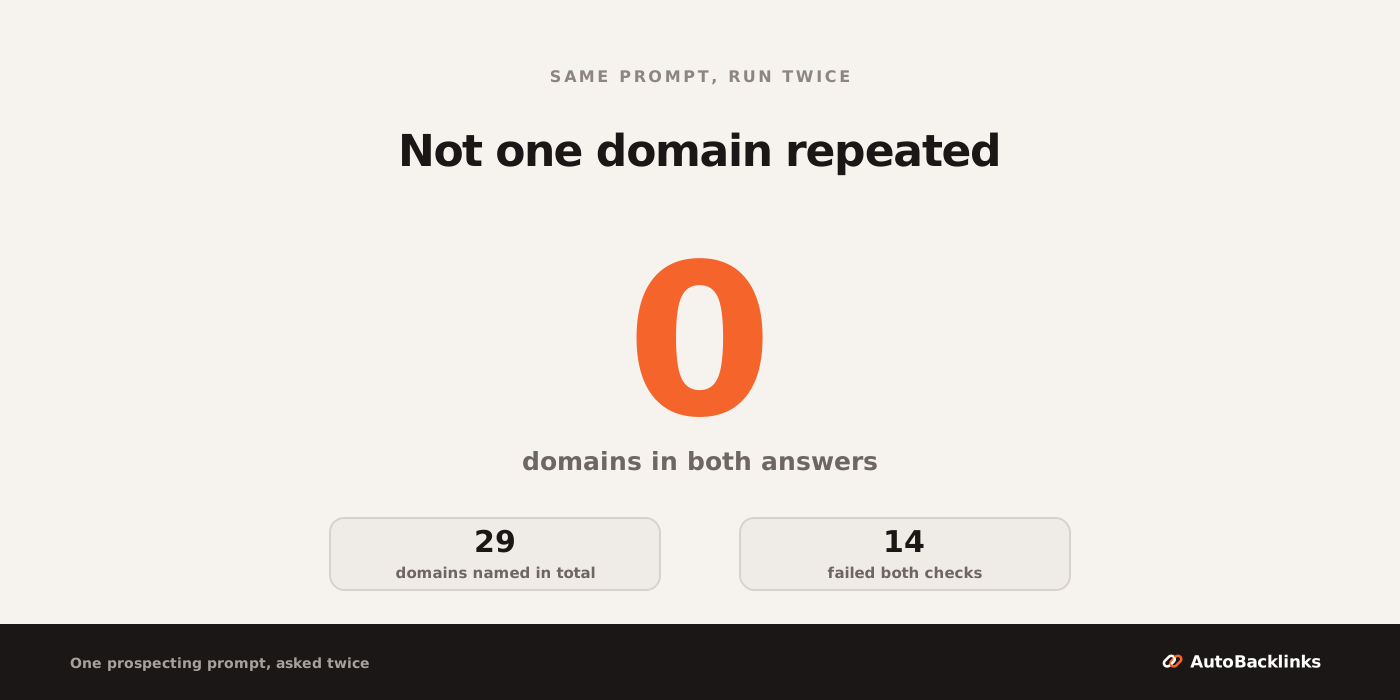
Then I checked each of the 29 against a backlink index. Nineteen of the 29 do not appear in it as linking to asana.com.
That number needs an honesty note, because my own fetch argues with it. On five of those nineteen, the page ChatGPT named does carry an asana.com link in its HTML: the Wikipedia article, the Chrome Web Store listing, a ScamAdviser check page, an InstantDomainSearch directory entry and a privacy policy. The index does not count them and my crawler does. So fourteen of the 29 fail both checks, and five sit in a gap where two authoritative sources disagree. That gap is its own argument for doing the work in an account rather than a chat window.
The ten the index does confirm are the more interesting group, because that is where the real failure lives. Every link I sampled on nine of those ten was one of these:
- Automated pages that generate themselves. urlscan.io (94 links), hypestat.com. Nobody edits these. There is nobody to email.
- Sitewide boilerplate. tuftshillel.org carries 6,929 links to asana.com behind the anchor "Add your event now". summitchurch.com carries 1,333 behind "Report an Issue". A car suspension shop, nolathane.com, carries one behind "Can't find what you're looking for?". These are template links into Asana forms, not editorial decisions.
- A direct competitor. clickup.com, with 1,518 links, is another project management tool. It will not add you.
- User posts, code repositories and press releases. Markdown files in GitHub repos, Medium posts, Japanese press wires. The Medium link is an editorial mention inside a real article, and it is tagged
nofollowandugc.
Count the domains a polite email could realistically change and you get one: explodingtopics.com, which carries five dofollow mentions inside ordinary blog posts. One usable prospect out of 29 named domains, and you only learn which one by checking all 29 yourself.
Even that one arrived for the wrong reason. The URL ChatGPT gave for explodingtopics was an automated stats page on a subdomain. The five editorial links are on its blog, and I found them by querying the index myself, not from anything in the answer.
Two limits on that count, both against me. The classification is my own, unblinded and single rater. And it rests on a sample of three links per domain, so on a domain carrying hundreds I am reading a slice, not the profile.
That is the shape of the problem. The output was not invented. It was real, and sorting it was the entire job.
The guest post prompt: 5 of 20 URLs went nowhere
Same treatment for the guest post prompt:
List 20 real websites in the project management software niche
that accept guest posts. For each one give: the site URL, the exact
URL of its "write for us" or "contribute" page, and the editor's
email address. Table only.
Run one returned 8 rows against the 20 I asked for. Run two returned the full 20. The two runs had four domains in common, and even there they disagreed: for one of the four they gave different submission paths, so at most one of the two can be right.
I fetched all 20 URLs from the second run. Five of the 20 go nowhere. Three return a 404 (pmworld360.com, rebelsguidetopm.com, techsling.com), projectmanagementarticles.com has no DNS record on either attempt, and productivityland.com/write-for-us/ redirects to the site's homepage, which is a soft 404 wearing a 200. Of the remaining fifteen, nine returned readable pages, five returned a 403 bot block and one returned a 202 with almost nothing in it.
Two of those are worth separating, because they fail differently. PMWorld 360 does take contributors, at /become-a-contributor-for-pmworld360/, so the site is a real prospect and the URL is simply wrong. Rebel's Guide to Project Management is the opposite: it has no contribute page anywhere in its sitemap, and its contact page says plainly, "We rarely accept guest posts." ChatGPT supplied a submission URL and a named editor's address for a site that publicly declines them.
Seventeen rows carried an email address. Ten of those pages returned readable HTML, and on eight the address was there. The two misses are worse than a miss. One is the productivityland page that no longer exists. The other, softwaresuggest.com/blog/write-for-us/, is a live page with full submission guidelines that does publish an address, just not the one ChatGPT gave: it lists team@softwaresuggest.com, not the content@softwaresuggest.com in the table. I am not counting the 403s against it, because an address can be real on a page I could not open.
The named sites were the second problem. Alongside genuine publications there was writeforusarchitecture.com, offered as a project management software prospect, and a run of sites whose entire business is selling guest post slots.
The listicle prompt: live pages, wrong owners
The best result of the prospecting set, and still not usable as given:
Find 15 "best project management software" or "project management
software alternatives" listicle articles where a new tool could
realistically be added. Give the exact article URL for each, plus
the publishing site. Table only.
Fourteen of the fifteen returned a 200, and the fifteenth was a bot block rather than a missing page. Nothing was dead. Credit where it is due: for finding published pages on a topic, web search works.
Then look at who owns them. Six of the 15 sit on vendor-owned blogs, and five of those, a third of the list, belong to direct project management competitors: hive.com (twice), monday.com, teamwork.com and proofhub.com. A competitor's own "best tools" roundup is the one page that will never add your tool.
Zapier is not a project management tool, so that one is a vendor blog rather than a rival, and its URL has its own problem: it redirects to a different article than the one it was named as.
The nine that nobody in the category owns are a mixed bag, and the mix matters. Cloudwards and TechRadar both disclose an affiliate commission on the page itself, so a placement there is an ad slot as much as an editorial one. G2 is a review marketplace funded by the vendors it ranks. None of that disqualifies them. All of it is context you need before you write, and none of it came with the list.
So the prompt found live, relevant, well-ranked pages and handed back a list where a third is unpitchable by definition. Filtering that out is one line of logic. ChatGPT does not run it, because it is not checking whether the publisher sells what you sell.
ChatGPT link building prompts that actually work
The writing prompts are the other half, and they are good.
The pitch prompt is the strongest thing ChatGPT does in this workflow. I gave it a real listicle URL and asked for a short email asking to be added:
Read [the prospect's article URL] and write a short outreach email
asking the editor to add our tool, example-pm-tool.com, to that list.
Reference something specific from the page. Under 120 words.
It read the page. It opened "Hi Ben", which is the real first name of the page's author. It named the article by its real title, "10 Best Project Management Software Picked For 2026". Then it handed the article's own selection criteria back to the editor:
... especially the emphasis on tools that provide visibility, resource planning, and scalability, plus the clear "Best for" positioning for each pick
I checked every one of those specifics against the live page without going through ChatGPT. The title is exact, and Ben Aston is the byline rather than just a name on the page.
The article's own opening sentence promises software that gives teams visibility, handles resource planning and scales with the workload. Three of the four things ChatGPT quoted back came out of that one line. The fourth, "Best for", is the page's formatting convention rather than a stated criterion, and it does sit on every entry.
That is a usable opener. It is also exactly the kind of personalization that moves a reply rate. On our published outreach campaign, 187 emails produced 32 replies, a 17.1% reply rate, and what moved it was prospect quality rather than clever copy. The copy still has to be specific, and this prompt gets there.
Three more that earned their place:
- Subject lines. Asked for five under seven words, it gave four under seven and one at exactly seven. Plain, not clever, which is right for outreach.
- The negotiation reply. Given a publisher quoting $400 for a placement, it countered at $250 and carried the
rel="sponsored"condition into the reply without softening it. I had put that condition in the prompt, so the credit here is for not dropping it, not for knowing the policy. - Linkable asset planning. Five ideas, each with the audience that would link to it and why. Generic, and a perfectly good starting list.
One result worth reporting on its own. I ran the guest post prompt a third time with web search turned off, expecting invented domains. It refused instead:
I can't reliably provide 20 real, verified project-management-software websites with exact guest-post URLs and editor email addresses without live web verification. I don't want to fabricate contact emails or outdated "write for us" pages.
This model does not invent the domains. The failure has moved somewhere harder to spot. It returns a real list you cannot act on.
Where ChatGPT stops for link building
Three hard stops, in the order you hit them, and a fourth that no tool removes.
It will fill in a metric it does not have. In the backlink prompt, ChatGPT supplied a Domain Rating for all 15 rows in the first run and 6 of 15 in the second. It has no backlink index. When I asked the same model, the same day, for the Domain Rating and organic traffic of five named domains as the whole question, it answered "N/A" in all ten cells. That is the single most dangerous behavior in this workflow, because a wrong number looks exactly like a right one.
It infers contacts rather than verifying them. Asked for a specific editor's address at two sites, it found an obfuscated address on one page, inferred the likely form from the first name, and told me plainly it was an inference needing confirmation. On the second site it correctly reported no public address and pointed at the submission form. Honest, and still zero verified addresses.
It cannot send, chase or read a reply. No mailbox, no schedule, no inbox. This is not a capability gap that a prompt closes.
There is a fourth limit that no tool removes. Nothing can place a link on somebody else's site, because a publisher has to agree to publish one. That is where Google draws its own line too. Google Search Central's link spam policy names this as an example of link spam:
Using automated programs or services to create links to your site
Automating the research, the drafting and the follow-up is a different thing from automating the link. In the first, a human editor still decides. In the second, nobody does. The same page also sets out where paying is allowed:
Google does understand that buying and selling links is a normal part of the economy of the web for advertising and sponsorship purposes. It's not a violation of our policies to have such links as long as they are qualified with a
rel="nofollow"orrel="sponsored"attribute value to the<a>tag.
That second sentence is the one that does the work. Paying is allowed where the link is qualified. Paying for ranking credit is not. That boundary runs through every tool in AI link building, and it is the same one that separates an assistant from an agent that acts on its own.
How to connect the AutoBacklinks MCP to ChatGPT
MCP is the Model Context Protocol, the open standard an AI client uses to call another product's tools. This is our own server, so the numbers below come from the repository rather than a marketing page, and the full tool list is on our MCP page.
ChatGPT's setup is different from Claude's, and the difference is the step people miss: it lives behind developer mode.
- Open Settings, then Apps, then Advanced settings, and switch Developer mode on.
- Choose New plugin.
- Name it AutoBacklinks. Connection is Server URL. Paste
https://mcp.autobacklinks.ai. Authentication is OAuth. Create it. - Sign in with AutoBacklinks when ChatGPT asks.
- In a chat, turn the AutoBacklinks plugin on.
Step five is where most of the "it is not working" reports end. Plugins are added in Settings and switched on per conversation, so a chat where ChatGPT says it has no AutoBacklinks tools is usually a chat with the plugin off.
Three things have to be true before the first prompt does anything: an active AutoBacklinks plan or trial (without one, sign-in succeeds and every tool fails), at least one website added to your account, and a mailbox connected in the dashboard if you intend to send. On a workspace plan an admin may need to turn developer mode on for you.
Then prove it before you spend anything:
Use the AutoBacklinks plugin and call list_websites.
Name my sites and tell me whether AutoBacklinks is connected and ready.
If the plugin is off in this chat, tell me how to turn it on.
Reads cost no credits, so running that prompt spends nothing and it settles the question.
When ChatGPT cannot see the AutoBacklinks tools
Five failures cover nearly everything, and none of them needs support.
- There is no New plugin option. Developer mode is off, or your plan does not expose it. It lives under Settings, Apps, Advanced settings, and on a workspace plan an admin may have to switch it on.
- The plugin exists and ChatGPT ignores it. Plugins are per conversation. Turn AutoBacklinks on from the tools menu and retry in a new chat.
- Sign-in finished and every tool still fails. Remove the plugin under Settings, Apps, add it again, and complete the OAuth window all the way through rather than closing it on the redirect.
- A call is refused with
subscription_required. The account has no active plan or trial. Canceled and past-due accounts are refused the same way. - A call is refused with
approval_requiredorrate_limited. Either no approval was passed, or the live estimate grew after the quote, in which case say the number yourself. The rate limit means 120 requests a minute or 1,000 credits a day, and the error says when to retry. The dashboard can still run the same action.
What ChatGPT link building costs in credits
Of the 57 tools the server publishes, 48 cost nothing to call, 7 spend credits and 2 send email. ChatGPT can read every site, scan, prospect, draft and reply thread in your account before anything is billable.
Spends work as a quote and a yes. ChatGPT calls an estimate tool first, tells you the number and waits. The server refuses any call where the approval is missing or lower than its own live estimate, and every charge started from a chat is labelled in your usage page afterwards.
The prices are the dashboard's:
- Find a prospect: 1 credit
- SEO metrics, meaning Domain Rating and current organic traffic: 1 credit per 2 domains
- Verified email: 3 credits
- Generated outreach email: 1 credit per email in the sequence
- Competitor backlink scan: 5 credits per scan plus 10 per 100 new backlinks, capped at 105
- Evaluate a backlink offer: 10 credits
Add the first four and one prospect goes from found to written for 5.5 credits, because metrics pack two domains into a credit. A sequence defaults to a first email and one follow-up, so a prospect you contact and then chase is 6.5 credits: about 13 cents at the $49 launch price on Starter, or 21 cents at the $79 list price, against 2,500 credits a month either way.
Two things that number leaves out. It is the price of a prospect that survives your filters, so the blended cost per prospect that reaches a send is higher. And scans and offer valuations are separate line items.
Every connection carries a ceiling that defaults to 120 requests a minute and 1,000 credits a day, which is roughly 150 prospects a day from chat. Plans run $79, $179 and $399 a month at 2,500, 7,500 and 20,000 credits. A launch offer currently takes Starter monthly to $49 against a list price of $79. The trial is 7 days and 120 credits with a card.
How to build backlinks from ChatGPT with the MCP
Once the plugin is on, each backlink type is one instruction. The chain behind all of them is the same: read the setup options, create the campaign, list the prospects, cut the misses, generate the drafts, send. Five of the seven types are below, and the other two, product reviews and your own uploaded prospect list, run on the identical chain.
Every one of them is the AI outreach agent doing the work, addressed from a chat window instead of the dashboard.
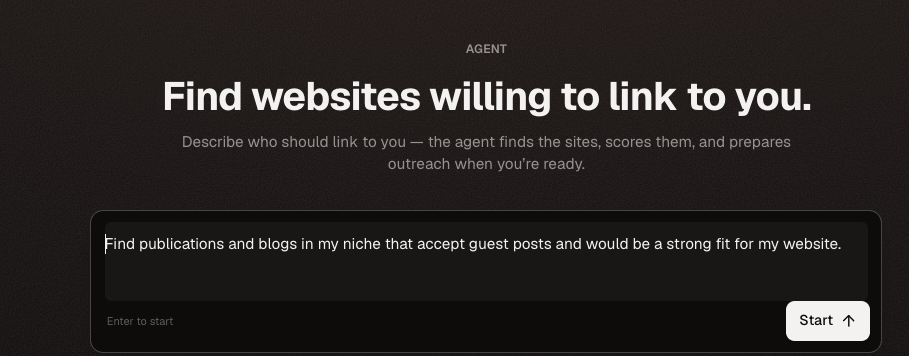
Guest posts.
Start a guest post campaign for example.com. Find 50 publications in
my niche that accept contributed articles, drop anything that is not a
real editorial site, and hold every draft for my review.
Listicle and alternatives placements. This is the prompt that fixes the competitor problem from my test above, because the campaign qualifies each prospect instead of listing it:
Find listicle and alternatives pages in my category where my product
could be added, 50 of them, and show me which ones already rank for my
main keyword before you write anything.
Link insertions. The same ask applied to prose rather than a list, covered end to end in our guide to link insertions and niche edits:
Start a link insertion campaign for example.com using web search.
Target articles that rank for my topic and already link out to tools.
Approach: simple fit request, no payment offer.
Competitor backlinks. The prompt my test showed ChatGPT cannot answer alone, answered properly against a real index by the competitor backlinks analyzer:
Scan competitor.com's backlinks and show me the strongest opportunities
I could replicate. Skip anything my site already has.
That last clause is not work you have to ask for twice. The campaign syncs your own referring domains and never pitches a site that already links to you, at no credit cost.
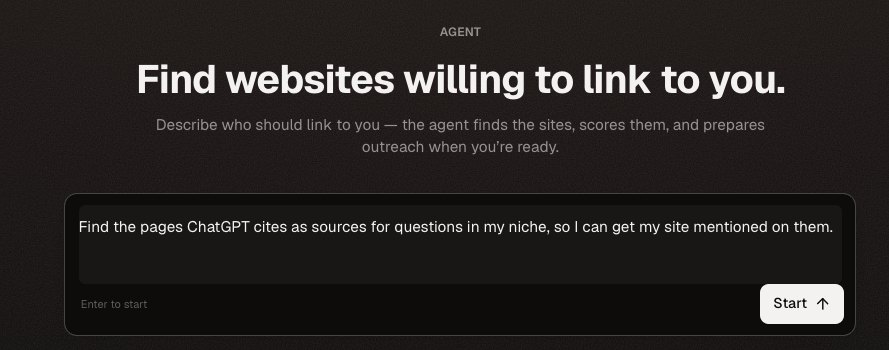
Pages that AI answers cite. The same machinery pointed at the sources ChatGPT quotes in your market, which is the strategy behind link building for AI search:
Find the pages ChatGPT cites when people ask about my category, then
start a campaign to get my product mentioned on them. 50 pages to start.
ChatGPT link building tactics that raise the reply rate
Four rules that change what comes back, all of them cheap.
Disqualify before drafting, never after. Cutting a prospect costs no credits. A generated draft costs two at the default sequence. Ask to see the prospect list and cut the obvious misses first, every time. My test is the argument for this: in the listicle run, a third of the list was unpitchable by definition and it looked exactly like the rest of it.
Say which approach you want in the prompt. Three approaches reach the email writer and they produce visibly different drafts: a simple fit request with no payment angle, an offer of something in return, or a direct ask for the rate card. Leaving it out costs you a round trip, because the campaign stops and asks.
Get a quoted placement valued before you answer it. When a publisher names a price, the valuation tool pulls backlink, keyword, traffic and pricing signals and estimates what the link is worth, for 10 credits. For what placements actually cost across the direct, marketplace and agency routes, our guide to link insertions has the ladder.
Keep the writing human-edited even when it is good. The pitch ChatGPT wrote in my test was sendable after one edit, not before it. Our guest post pitch examples are the ones the agent's drafts are modeled on, and they are worth reading before you approve fifty of anything.
If you want the same workflow in a different client, the Claude walkthrough covers all seven backlink types in more depth, and the server is identical.
Whichever client you use, the split is the same one my test found. Use the model for the writing and the judgment. Connect an account for anything that has to be true. The connection itself costs nothing to prove, because reads spend no credits, so a trial answers the question before a single credit moves.
FAQ
Can ChatGPT build backlinks?
Not on its own. ChatGPT writes the pitch, the subject lines and the follow-up at a usable standard, and it has no backlink index, no way to verify an email address, no mailbox to send from and no sight of your inbox. It also cannot place a link on another site, because a publisher has to agree to publish one. Connected to a server that holds live data and your mailbox, it can run every step up to the send and then handle replies.
Can ChatGPT find backlink opportunities?
It returns real pages, and most of them are not opportunities. When I asked it twice, word for word, which sites link to a competitor, it named 29 domains in total and none of them appeared in both answers. Fourteen of the 29 failed both of my checks, absent from a backlink index and carrying no link on the page itself, and five more sat in a gap where the index and my own crawl disagreed. Of the ten the index confirmed, exactly one domain carried the kind of editorial mention an email could plausibly win. Every link I sampled on the other nine was an automated profile page, a sitewide template link, a code repository, a user post, a press release or a direct competitor's blog.
Does ChatGPT know a site's Domain Rating?
No, and it is inconsistent about saying so. Asked for the Domain Rating and organic traffic of five named domains as the whole question, it answered "N/A" in all ten cells. Asked for a prospect table with a Domain Rating column, the same model the same day supplied a figure for every row. Treat any metric that arrives as a column rather than an answer as unverified.
What are the best ChatGPT prompts for link building?
The writing ones. Asking it to read a specific prospect page and draft an email referencing something real on that page produced the best result in my test: it quoted the page's real title and addressed the real author by name. Subject lines, follow-up sequences, replies to a publisher's price quote and linkable asset planning all work. Prospect discovery, metrics and contact verification do not.
How do I connect ChatGPT to AutoBacklinks?
Open Settings, then Apps, then Advanced settings, and turn Developer mode on. Choose New plugin, name it AutoBacklinks, set Connection to Server URL, paste https://mcp.autobacklinks.ai, set Authentication to OAuth and create it. Sign in when ChatGPT asks, then turn the plugin on inside the chat you want to use it in. Plugins are per conversation, which is the step most people miss.
Is using ChatGPT for link building against Google's guidelines?
Automating the research, the drafting and the follow-up is not. Google's link spam policy names "using automated programs or services to create links to your site" as an example of link spam, which is about creating the links rather than doing the outreach labor. If an editor still chooses whether to publish, you are doing outreach. If links appear without anyone choosing, you are doing the thing the policy describes. Paid placements are allowed where the link carries rel="nofollow" or rel="sponsored".
About Rachid Idali
Founder & SEO Strategist
Rachid Idali has spent 10 years in SEO, running multi-six-figure SEO and link-building budgets across content, digital PR, and outreach programs. He writes about practical systems for finding relevant prospects, earning links, and turning SEO operations into repeatable pipelines.
More from Rachid Idali